
How it works
Viktoo is the marketplace that lets buyers discover shops and order from them safely, and gives sellers everything they need to sell online, from the shop window to delivery.
In short
- Buying
- Online payment for the order, funds held until delivery, QR code shown to the courier on receipt.
- Selling
- Free shop, listings checked by Viktoo, items picked up by a Viktoo courier.
- Getting paid
- Amount credited to the Viktoo wallet after each confirmed delivery, then withdrawn to Mobile Money.
1Finding a product
The feed shows videos and photos from the shops. Search finds a product, a category or a shop. Every post leads to the product page: photos, description, price and shop.
Guest mode lets you discover the shops without creating an account.
2Ordering and paying
- add products to the cart, plus a promo code if you have one;
- choose the delivery place on the map;
- check the summary: product price, delivery fee for that place, and service fee;
- pay by Mobile Money, bank card or with your Viktoo wallet balance.
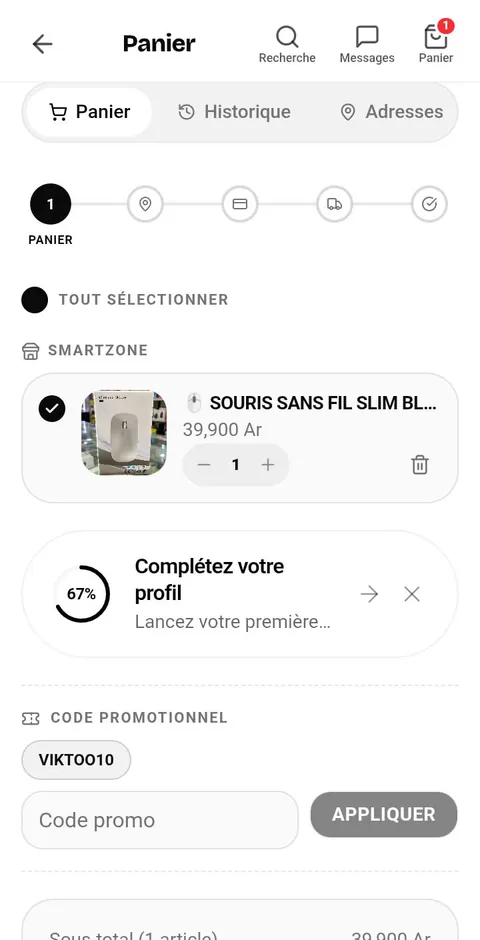
Everything is paid in one go, when you order. If delivery is not available for the chosen place, the app says so before payment.
Protected payment
Viktoo holds the payment until the delivery is confirmed. The seller is only paid at that point.
3Tracking an order
Each order is shown in your history with its status:
- paid, with the funds held by Viktoo;
- pickup in progress: a Viktoo courier collects the product from the seller and checks that it matches the listing;
- delivery in progress: the parcel is on its way to the chosen place;
- delivery confirmed.
Once a courier is assigned, their name is shown; you can call them or send a message.
4Receiving your order
After payment, a QR code and a confirmation code are shown with the order.
When the parcel is handed over
Show the QR code to the courier when you receive the parcel. The courier scans it; if it cannot be scanned, give them the confirmation code. This is what confirms the delivery.
Once the delivery is confirmed, the payment goes to the seller.
5Requesting a refund
As long as the delivery is not confirmed, a refund can be requested from the order. Depending on the case, it is made right away or after the Viktoo team reviews the request.
- the product price is credited back to the Viktoo wallet;
- the delivery and service fees are not refunded, unless the parcel is lost or damaged in transit, or the item does not match the listing: the refund is then complete;
- once the delivery is confirmed, no refund can be requested.
6Reporting a problem
During pickup or delivery, the order's “Report a problem” button alerts the courier directly. At any time, a Viktoo advisor can also be contacted from the order or from the Help center.
7Opening a shop
Opening a shop on Viktoo is free. To sell, two details help:
- a pickup address, in your profile addresses: this is where the Viktoo courier collects the products;
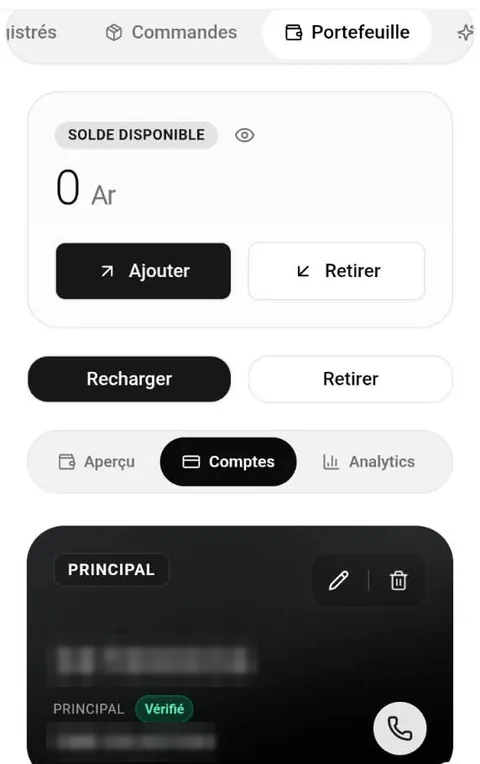
- a Mobile Money number saved on your wallet: withdrawals are sent to it.
8Listing a product
- add the product photos and details;
- add at least one verification photo taken yourself: it is only used by the Viktoo team to check that the product exists and matches the listing, and is never published;
- confirm the submission.
The Viktoo team reviews every listing before buyers can see it, and the seller is notified of the decision.
Depending on the current settings, listing a product may involve a pickup fee taken from the wallet. Its amount is always shown before you confirm.
9Handling an order
- as soon as an order is placed, the app alerts the seller;
- the seller prepares the product;
- a Viktoo courier collects it at the pickup address and checks that it matches the listing; if it clearly does not, the pickup can be refused and the order cancelled;
- the seller sees the assigned courier and can call them.
10Getting paid
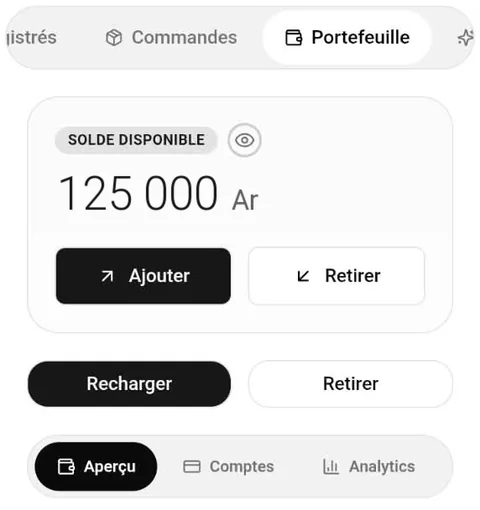
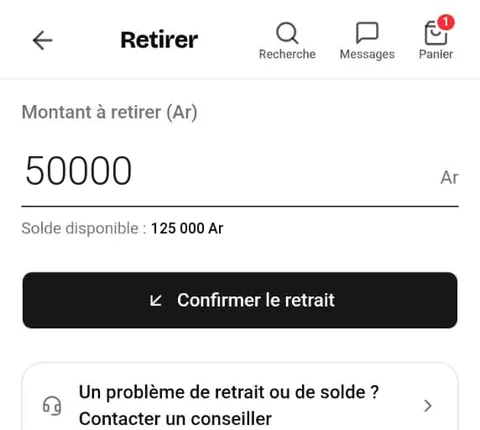
As soon as the delivery is confirmed, the sale amount is credited to the seller's Viktoo wallet. They can then request a withdrawal to their Mobile Money number, from the minimum amount shown in the app. The credit on the Mobile Money account can take a few minutes.
11Seller plans
The free plan is enough to start. Paid plans let you put more products online and use more tools; their benefits and prices are shown in the app. A paid plan lasts 30 days with no automatic renewal: when it ends, the shop goes back to the free plan and keeps its products.
12Need help?
The Help center, available on the website and in the app, lets you write to customer service. The full rules are in the Terms of use and the Terms of sale (in French).